

Manage Points
Active Point Account
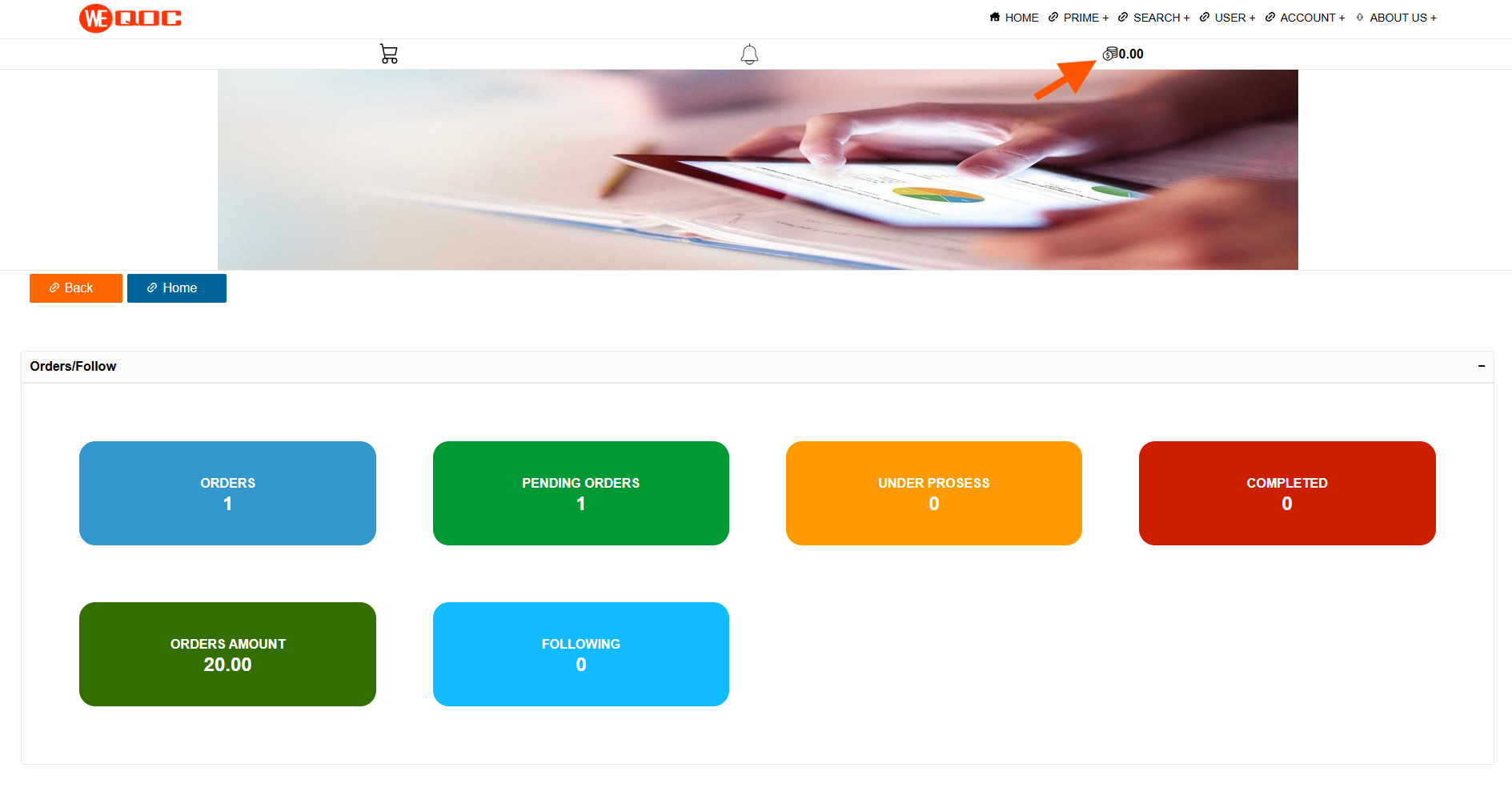
Click the coin icon at the top right to go to the Points section.
First, click the Active Account button on the right side. In the popup window, select Self and then click the Activate button.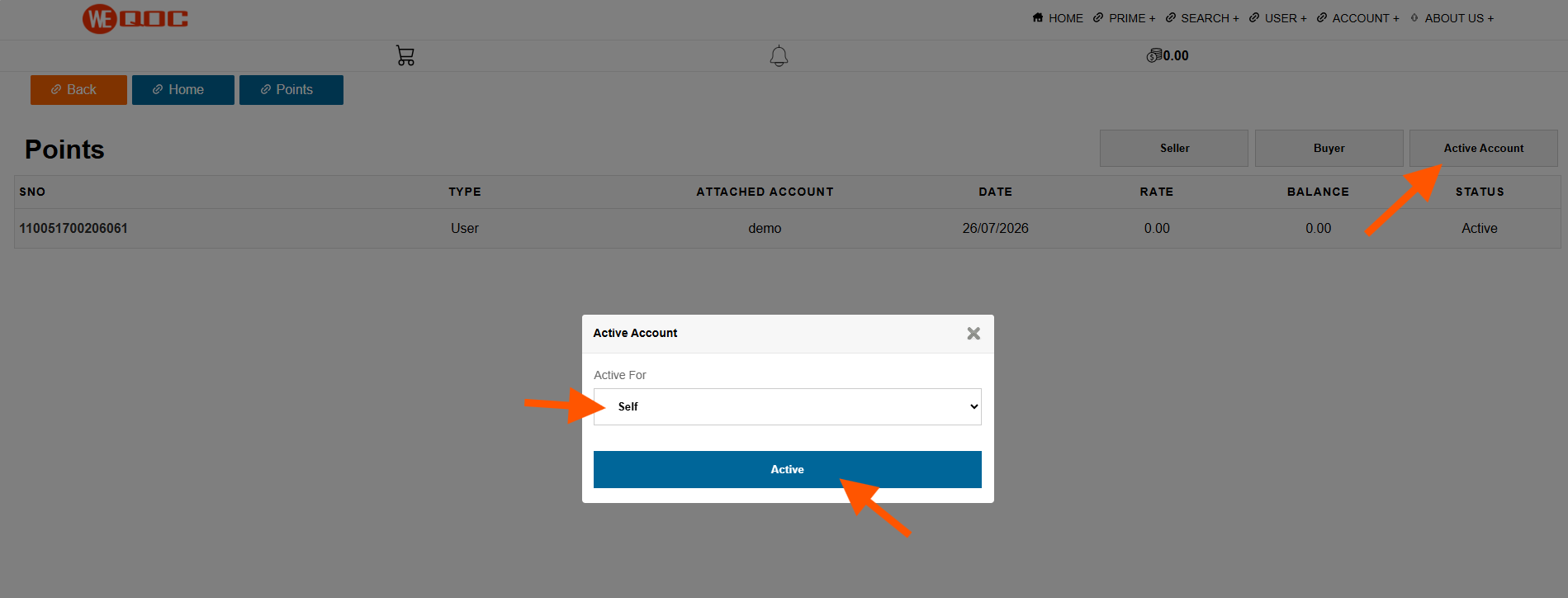
First, click the Active Account button on the right side. In the popup window, select Self and then click the Activate button.
How to collect points
To collect points, open the task list by clicking Menu Prime → Coupons. On the Coupons page, click Complete Task and Chance to Win Coupon/Points. The task list will then open.
Step-by-step :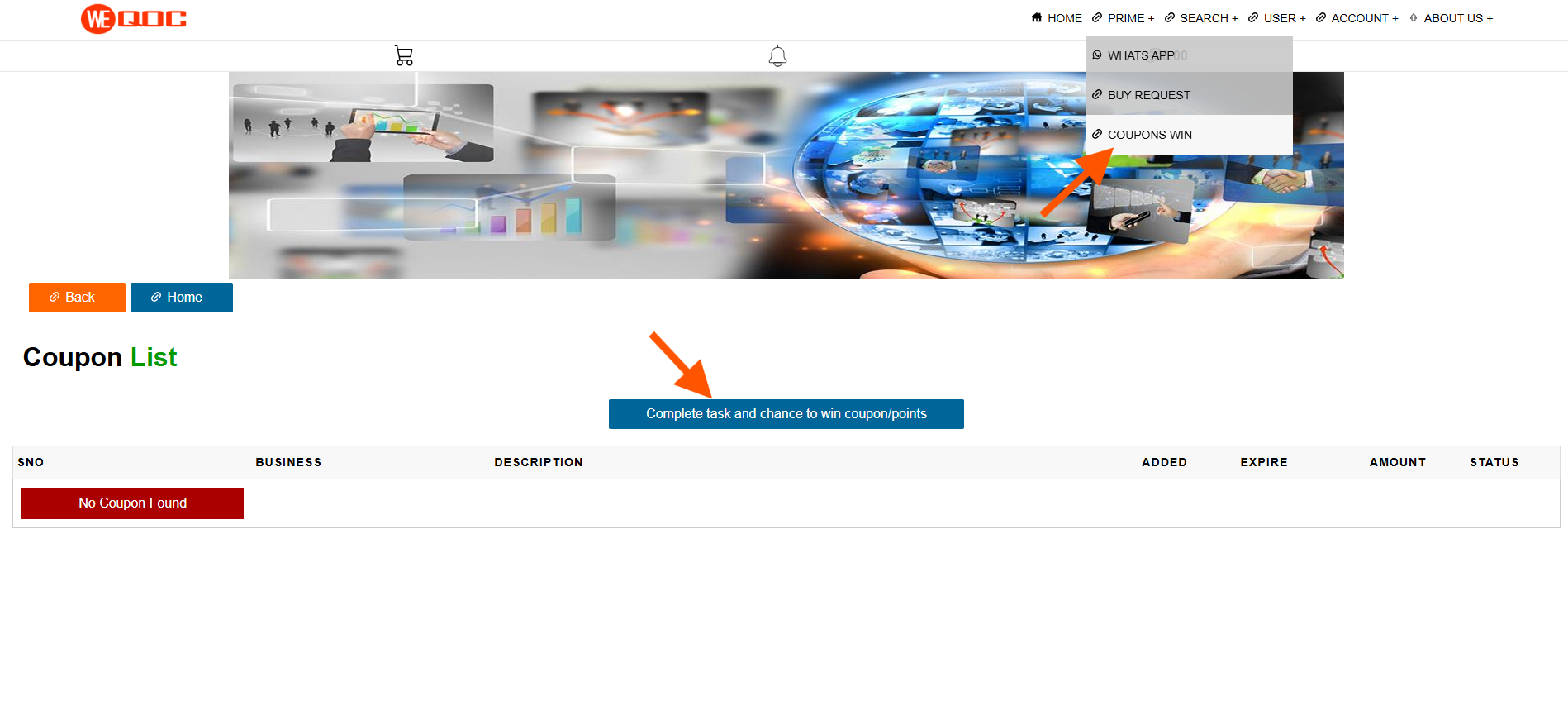
On the right side, you’ll see the task option Complete Task and Collect Points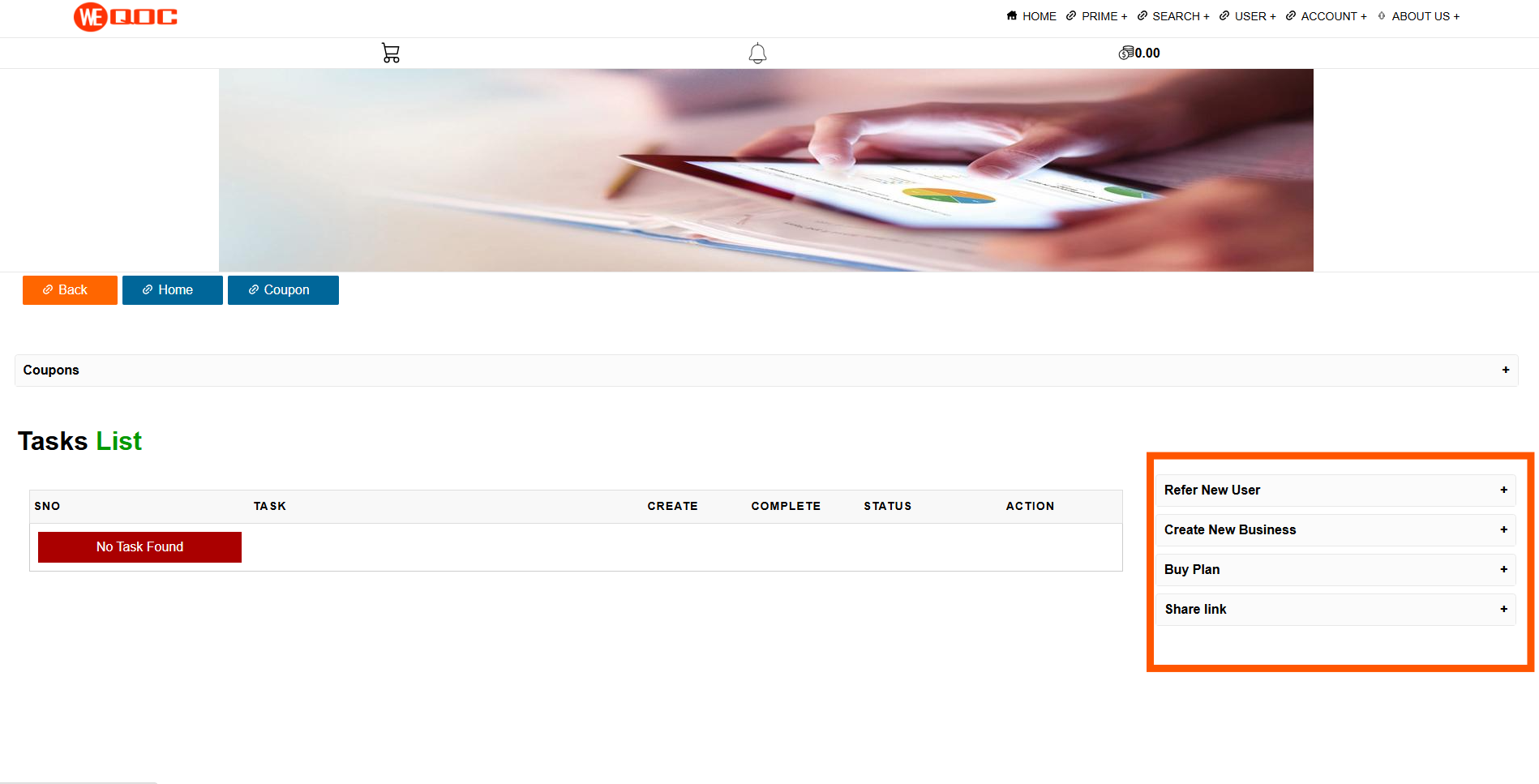
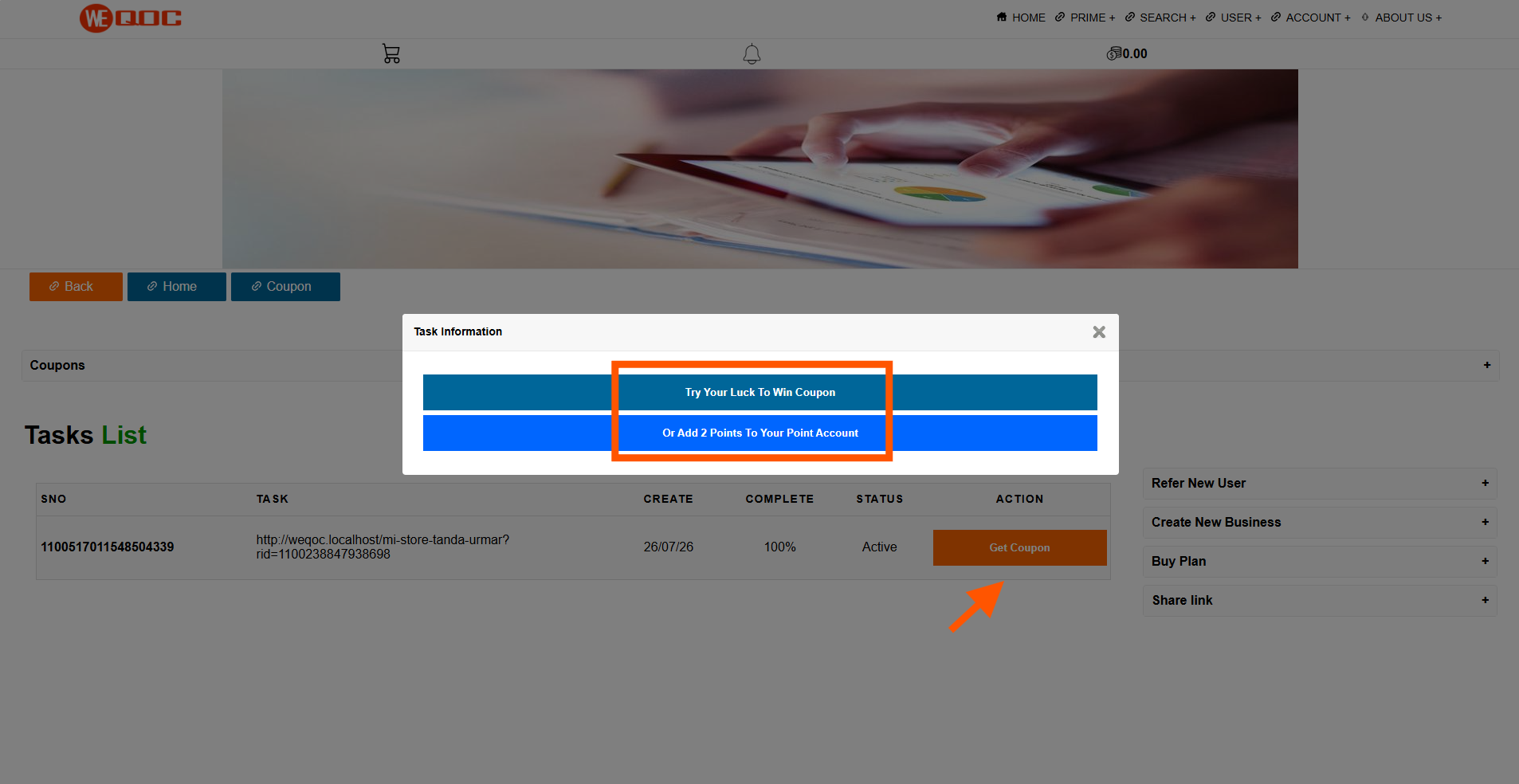
When a task is successfully completed, a Get Coupon button will appear. Click it to open a popup window with two options:
Step-by-step :
- Click Menu Prime → Coupons.
- On the Coupons page, click Complete Task and Chance to Win Coupon/Points.
- The task list will open.
On the right side, you’ll see the task option Complete Task and Collect Points
When a task is successfully completed, a Get Coupon button will appear. Click it to open a popup window with two options:
- Try Your Luck to Win a Coupon
- Add 2 Points to Your Points Account
How to redeem points
Order your favorite products, then on the payment page enter how many points you want to redeem and click the Redeem Now button. A success message will appear, confirming that your redemption is complete.
Step-by-step :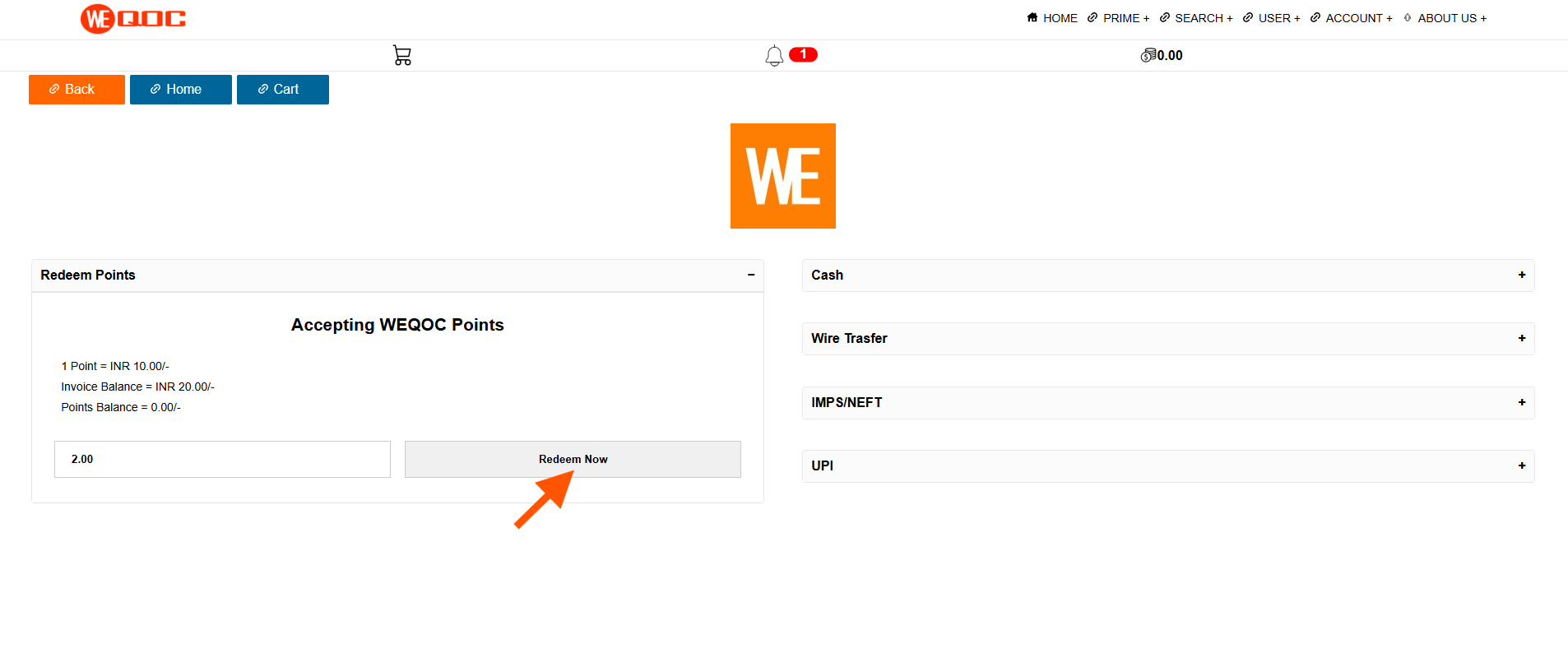
Step-by-step :
- Order your favorite products.
- On the payment page, enter the number of points you wish to redeem.
- Click the Redeem Now button.
- A success message will confirm your redemption.
How to collect and redeem points video

Copyright © 2026 WEQOC , All Rights Reserved.
Provided by GS Soluitons
Provided by GS Soluitons